🔎Pricing Search
To view the pricings stored in SPHERE, go to the Pricings section. In the modal, click Pricings to access a list of all public pricings.
Basic search
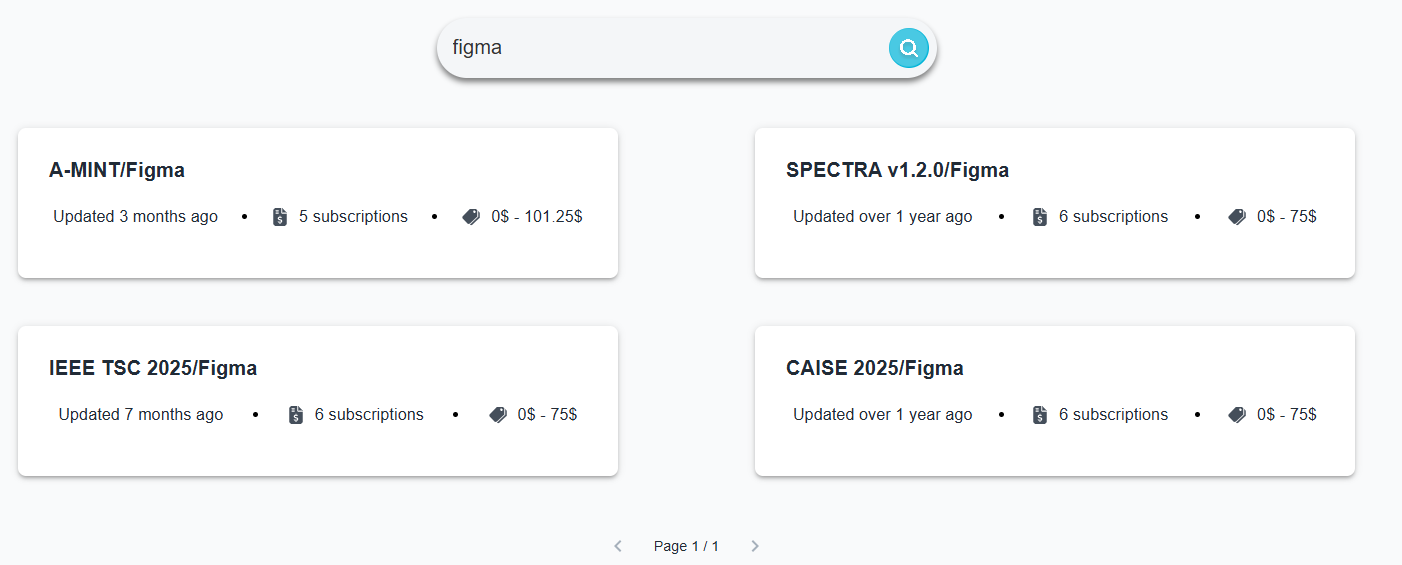
To search a particular pricing, type its name in the search box and the click on the lens icon 🔎 or press Enter in your keyboard.

You will then see a list of all results that match your input:
Advanced search
On the left side of the search page, you have a Filters panel where you can further customize your search.
You can sort by:
- Name (The pricing name is case-sensitive. For example, petclinic will appear before Petclinic.)
- Configuration space size (number of subscriptions)
- Number of features
- Number of usage limits
- Number of plans
- Number of add-ons
- Minimun subscription price
- Maximun subscription price
The sort direction determines the order in which items are arranged:
- Ascending: items are arranged from smallest to largest
- Descending: Items are arranged from largest to smallest
Lastly you can focus the search interval of the pricings by:
- Configuration space size (number of subscriptions)
- Minimun subscription price and Maximun subscription price
After customizing your search, you need to press the Filter button to perform the search.