➕ Create a Service
To create a new service in SPACE, follow these steps:
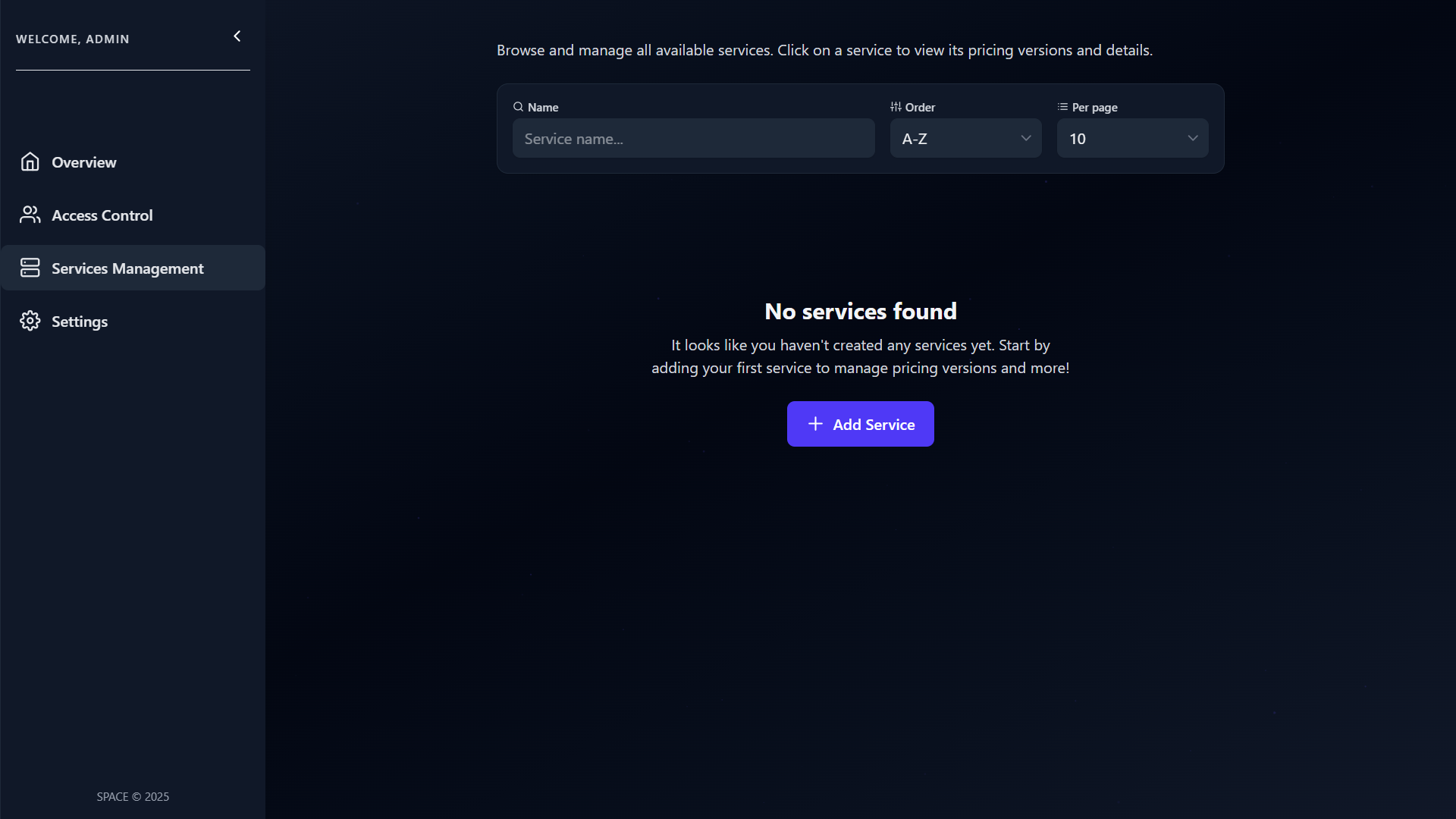
1. Open the Services Management Panel
Navigate to the Services Management tab on the left sidebar and click the Add Service button.
2. Upload a Pricing2Yaml File
A dialog will appear prompting you to upload a YAML file.
This file must follow the Pricing2Yaml specification.
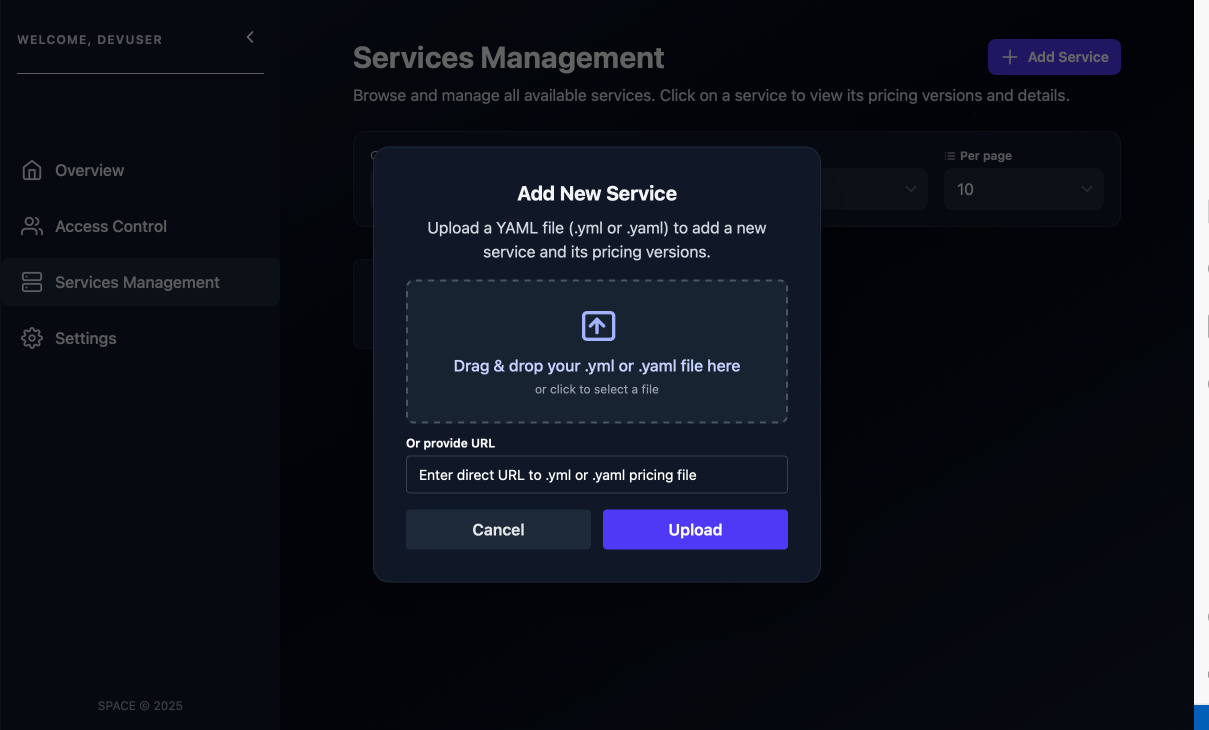
Alternatively, you can upload your pricing to SPHERE and use the link of the desired pricing version to instantiate the service. See the SPHERE version-management guide for more details.
3. Confirm and Create
Click the Upload button.
Once uploaded, a new service will be created and the corresponding pricing will be automatically linked to it.
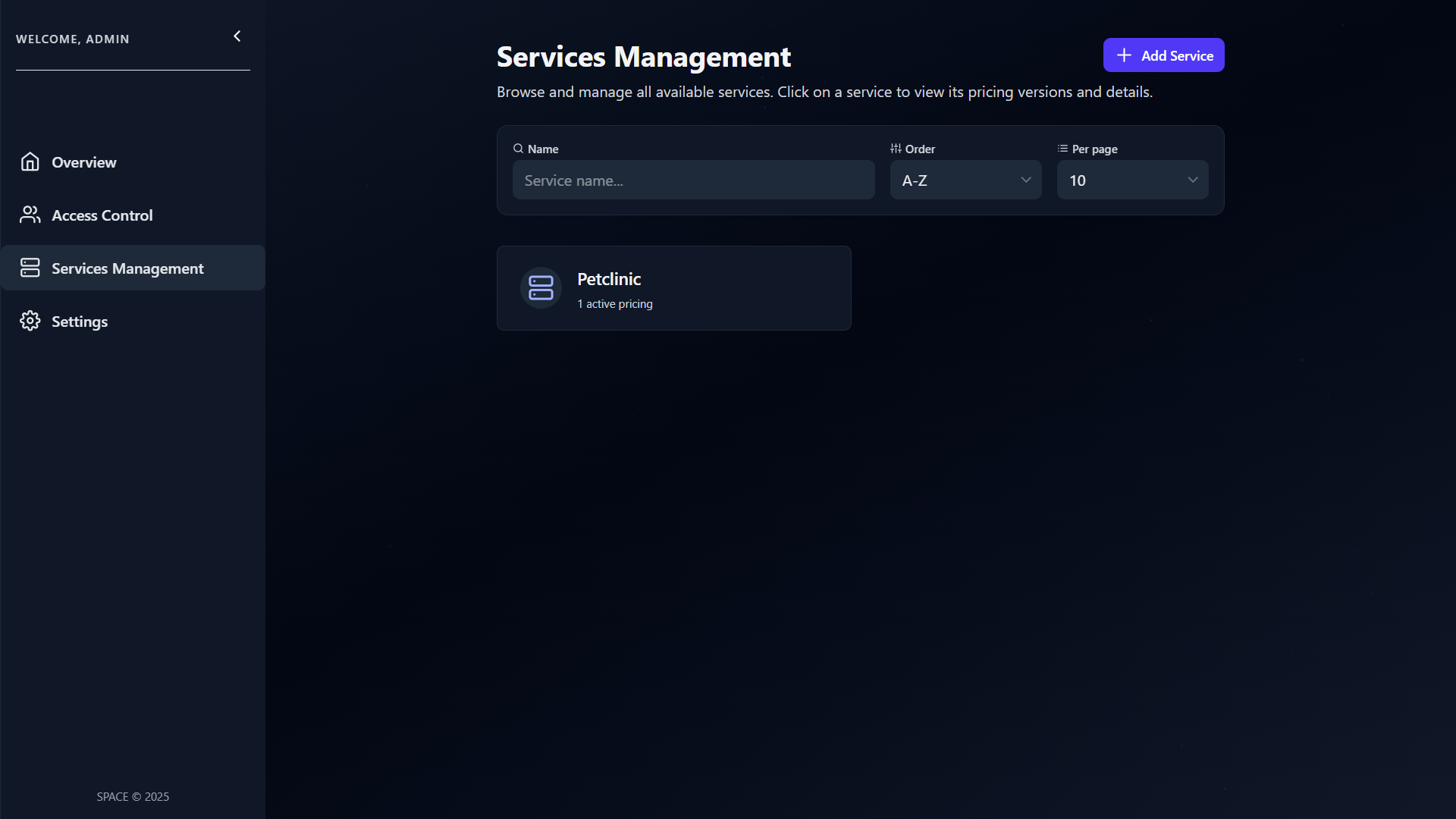
The service name is automatically taken from the saasName field in the uploaded Pricing2Yaml file. Make sure this field is properly set before uploading.
🛠️ Create a Service via the API
Besides the SPACE UI, you can also create a service programmatically using the SPACE API.
This is especially useful for automation workflows (e.g., CI/CD pipelines) where you want to upload or update pricings without manual intervention.
▶️ Using curl
Run the following command in your terminal:
curl -H 'x-api-key: <your_api_key>' \
  --form pricing=@api/src/test/data/pricings/petclinic-2025.yml \
  http://localhost:5403/api/v1/services
- Replace
<your_api_key>with a valid SPACE API key. - Replace the path after @ with your own Pricing2Yaml file.
In this example, the file is located at api/src/test/data/pricings/petclinic-2025.yml.
This request sends a multipart/form-data form with a single field named pricing containing the uploaded YAML file.
📡 Simplified Request
POST /api/v1/services HTTP/1.1
Host: localhost:5403
Accept: application/json
Content-Type: multipart/form-data; boundary=example
x-api-key: <your_api_key>

--example
Content-Disposition: form-data; name="pricing"; filename="petclinic-2025.yml"
Content-Type: application/octet-stream

saasName: Petclinic
syntaxVersion: "3.0"
etc...
--example--
✅ Example Response
If the request succeeds, SPACE will respond with a JSON body confirming the new service creation:
{
  "name": "Petclinic",
  "disabled": false,
  "activePricings": {
    "2025-3-26": {
      "id": "68907e381570b332f02d05c1",
      "_id": "68907e381570b332f02d05c4"
    }
  },
  "_id": "68907e381570b332f02d05c3",
  "__v": 0
}
💡 Notes
- The field
activePricingscontains the list of currently active pricing versions for the created service. - The property
disabled: falseindicates that the service is enabled and available immediately after creation. - If the
saasNamein your Pricing2Yaml matches an existing disabled service, SPACE will reactivate it (see Disabling Services for more details).