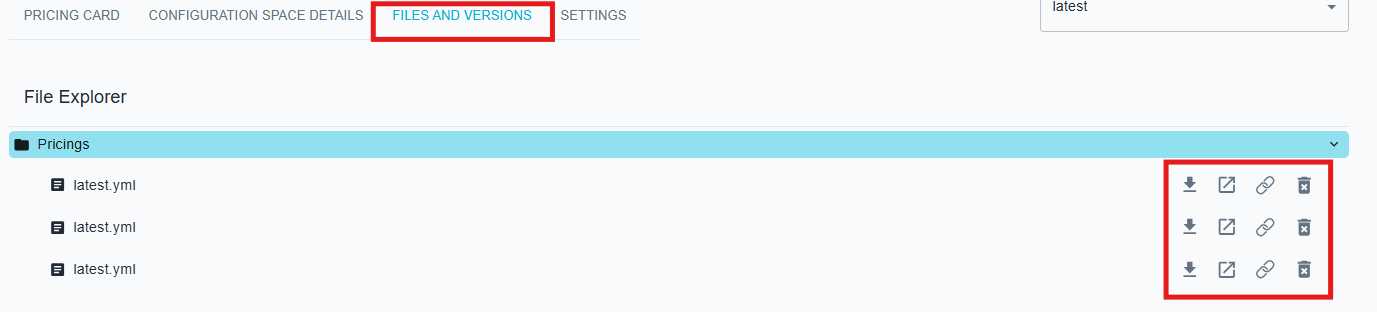
Files and versions
In this section of the pricing card, you can view all the pricings within a collection. Several actions are available for each item:
- Download: Click the ⬇️ icon to download the pricing to your computer.
- Edit in Pricing2Yaml Editor: Click the ↗️ icon (open in new) to open and edit the selected pricing in the Pricing2Yaml Editor
- Share: Click the 🔗 icon to share a link to your pricing
- Delete : Click the 🗑️ you to remove a pricing version from the collection
Delete restrictions
You can only delete a pricing if you are logged in and are the owner of the pricing.