🔑 Retrieve API Key
To interact with SPACE —whether through its API or via its SDKs— you need an organization level API key. This key acts as the authentication token for all requests.
Each organization in SPACE automatically receives an API key with ALL scope when created. Nonetheless, you can create additional API keys with specific scopes if needed. For more details on API key management, see manage API keys.
📥 How to Retrieve Your API Key
- Login into SPACE.
- Select the organization for which you want to retrieve the API key using the selector in the left sidebar.
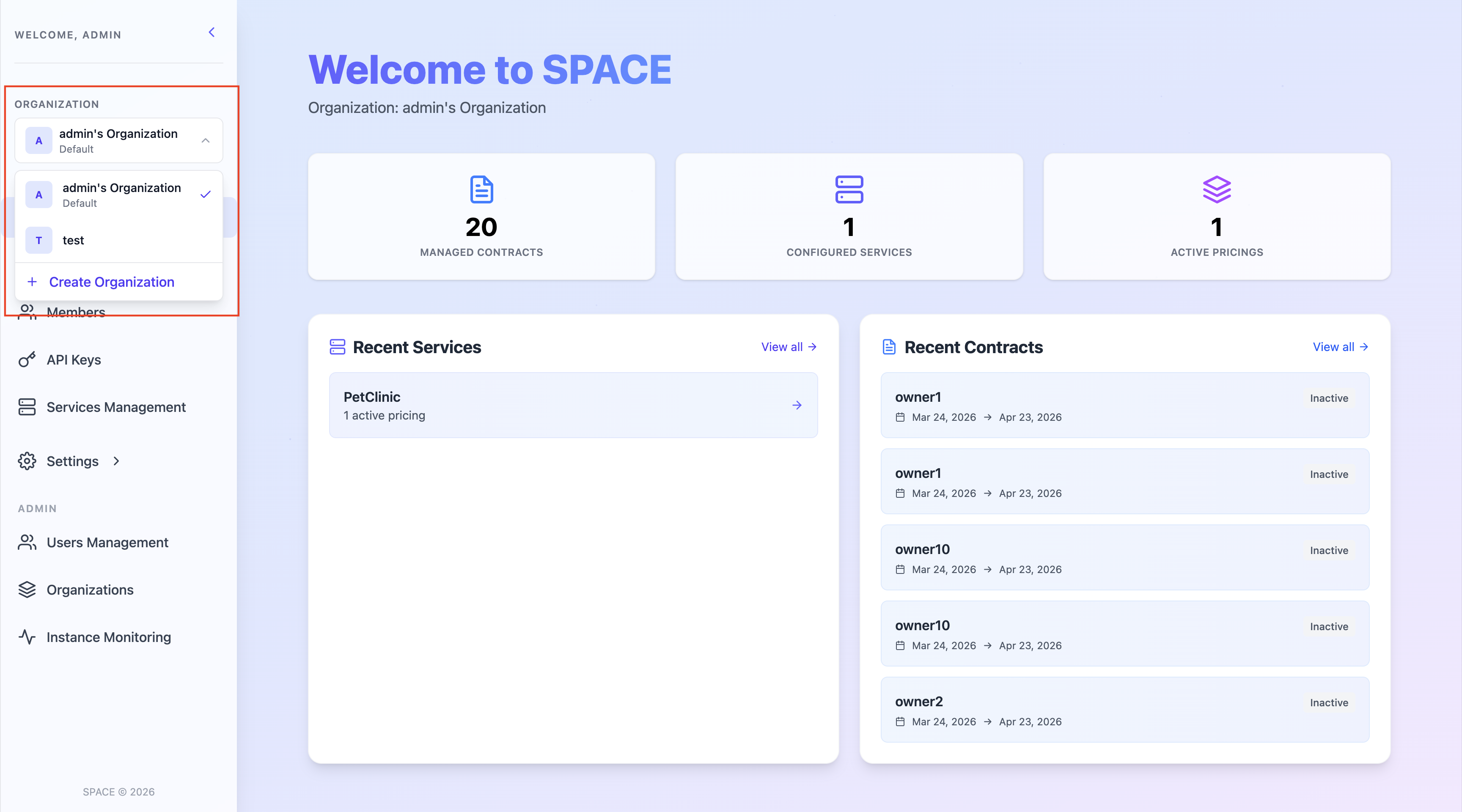
- Then go to the API Keys section in the left sidebar.
- In this page, you will find a list of all API keys associated with the organization.
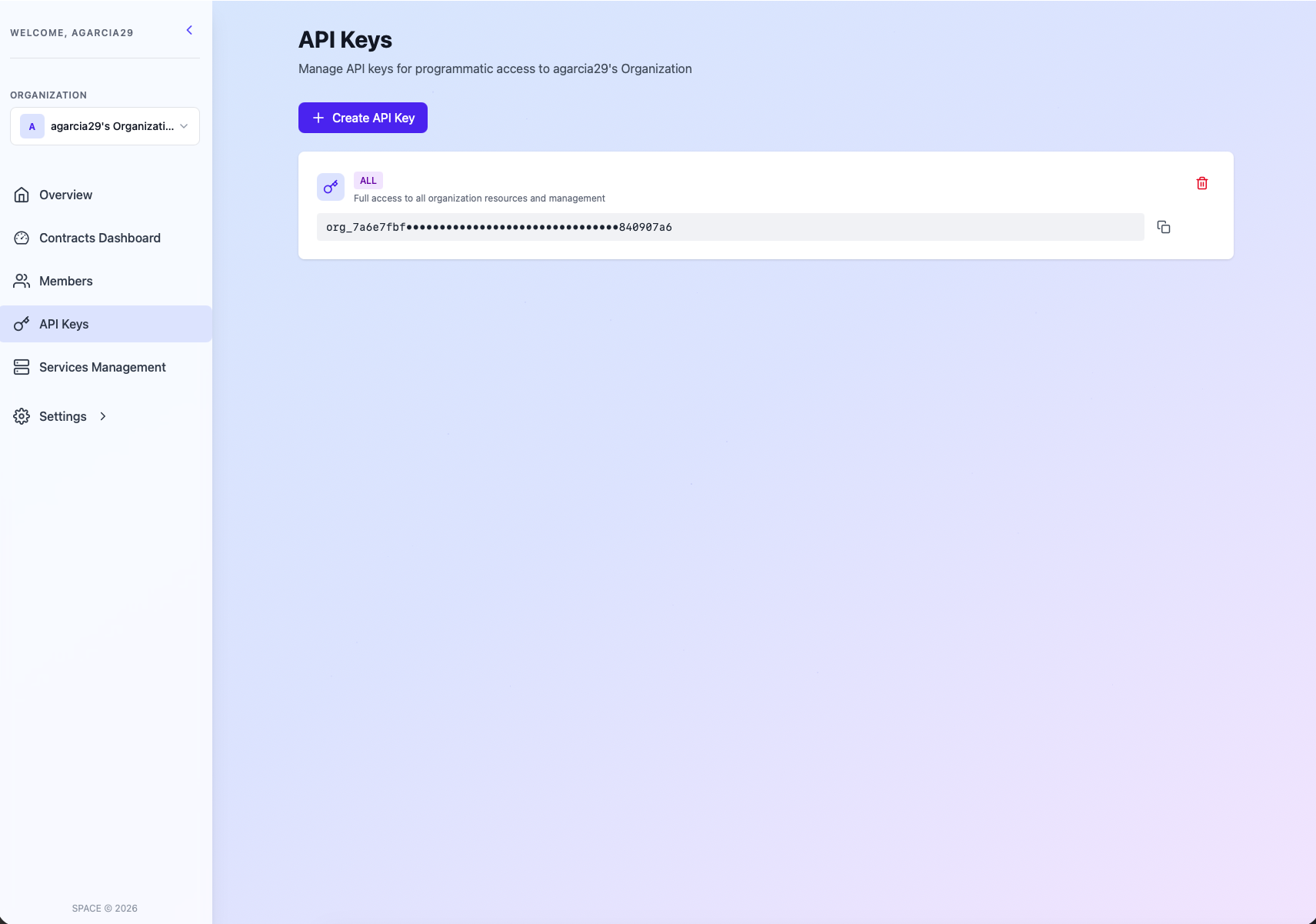
- Copy the corresponding API key and use it in your integration/SDK configuration.
Important
- Keep your API key secret — it grants access based on its scope (
ALL,MANAGEMENT, orEVALUATION). - If an API key is compromised, replace it by a new one and delete the original as soon as possible.
- Never expose your API key directly in client-side code.