Create a pricing
Use this workflow to upload an existing Pricing2Yaml document as a new pricing. For visual authoring, use the Pricing2Yaml Editor first and export the YAML file.
Upload a pricing
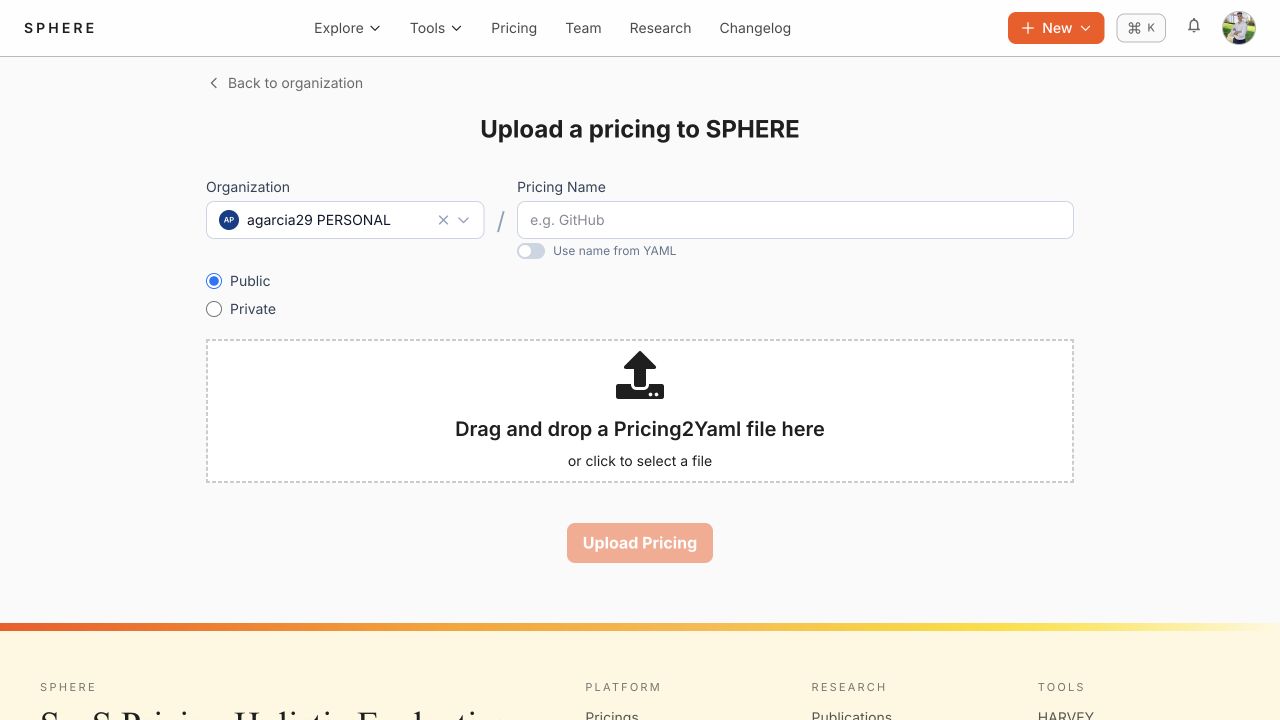
- Select New → Pricing, or open an organization and use its Pricings tab.
- Confirm the target organization.
- Provide a pricing name.
- Choose Public or Private visibility.
- Drag a valid Pricing2Yaml file onto the upload area, or select it from disk.
- Select Upload Pricing and wait for validation and analysis to complete.
Validation
SPHERE parses the uploaded YAML and computes pricing analytics. Correct Pricing2Yaml syntax errors before uploading; the editor provides live feedback and a rendered preview.
Choose visibility
- Public pricings appear in the public catalogue.
- Private pricings require organization membership or explicit read permission.
Visibility can be changed later in the pricing Settings tab, subject to your permissions.