Use HARVEY for pricing intelligence
HARVEY is SPHERE's conversational pricing-intelligence assistant. Open Tools → HARVEY to work in standalone mode, or use the H button in a pricing card for a conversation already grounded in that pricing version.
Ask a question about a pricing
- Open HARVEY.
- Select a suggested prompt or type a question in Ask about pricing strategies.
- Select Ask.
- Review the streamed answer and its quantitative findings.
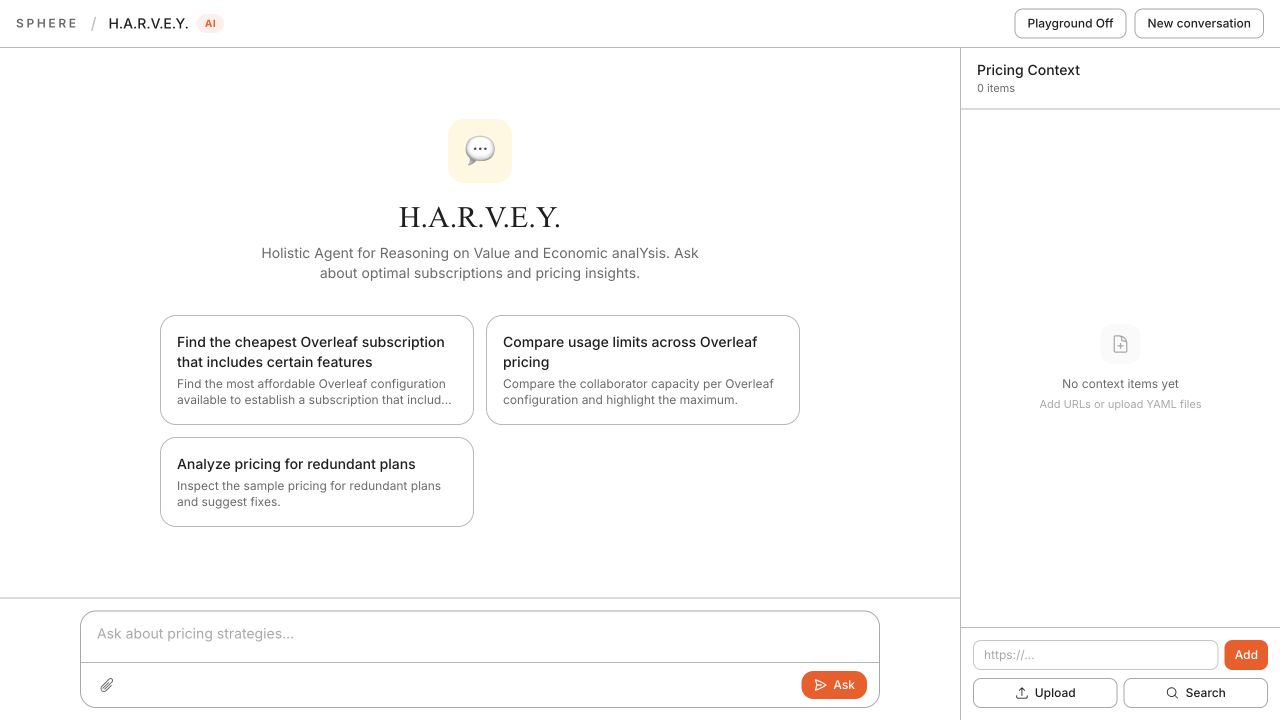
Example questions include:
- “Which is the cheapest plan that includes API access?”
- “Compare the collaborator limits across these pricings.”
- “Identify redundant plans and explain the effect of removing one.”
Add pricing context
You can provide context in three ways:
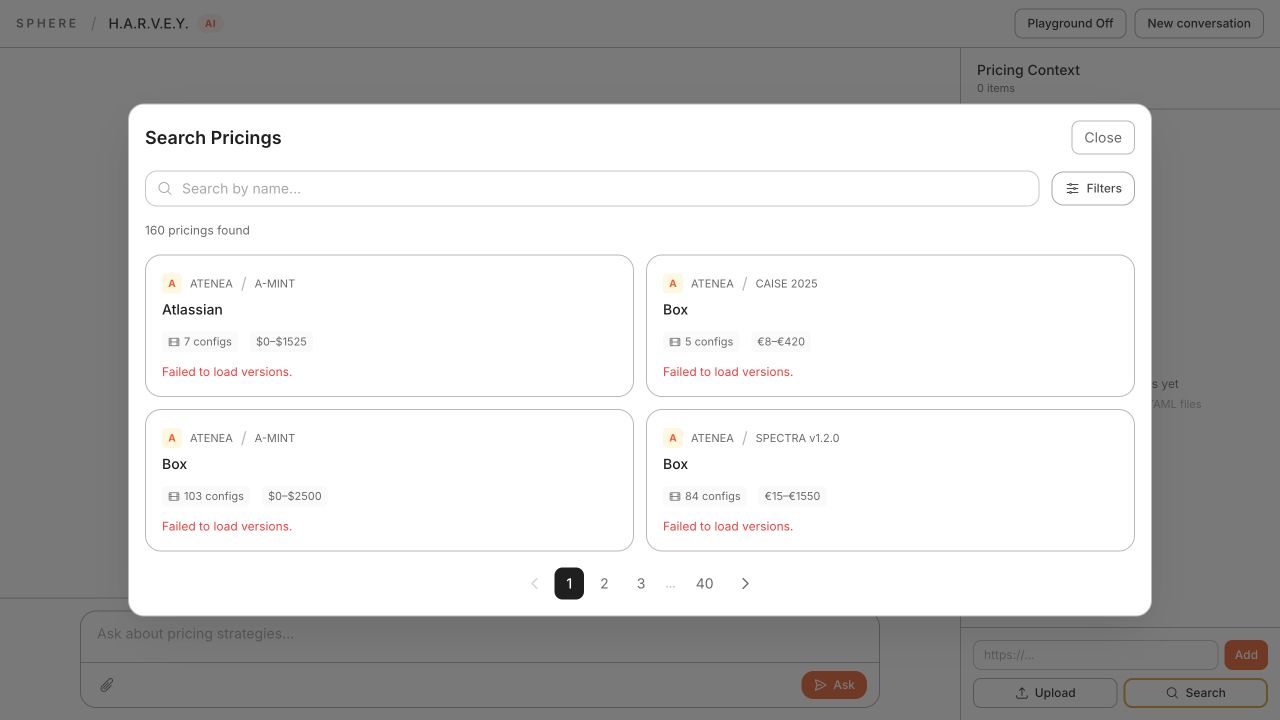
- Stored pricing: select Search, search the SPHERE catalogue, and attach a pricing.
- External URL: enter a public pricing-page URL in the
https://...field and select Add. HARVEY extracts it before analysis. - Current pricing card: open HARVEY from a pricing card; the active version is supplied automatically.
caution
External pages can take longer to analyse because HARVEY must first extract pricing information. Verify important findings against the source before using them in a commercial decision.